

Introduction
Sometimes calibration is needed. For this purpose, some modules supports a specific channel ('CALIBRATION') that exposes one or several settings that can be calibrated.
Note: The calibration values are stored on the Raspberry itself, NOT on the module. This means that if you unplug a module and insert it into another Accordion system, the calibration values will not be transferred automatically.
Guide
Open the ‘calibration’ menu by pressing the button that looks like a dart board.
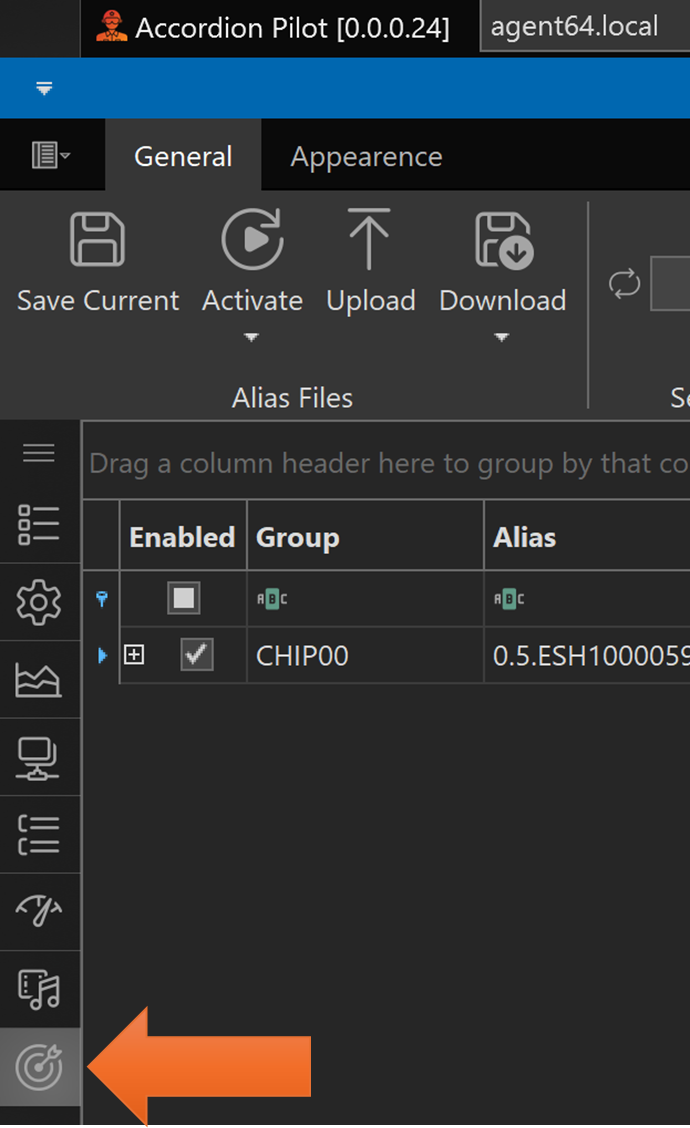
This will reveal all modules capable of calibration.
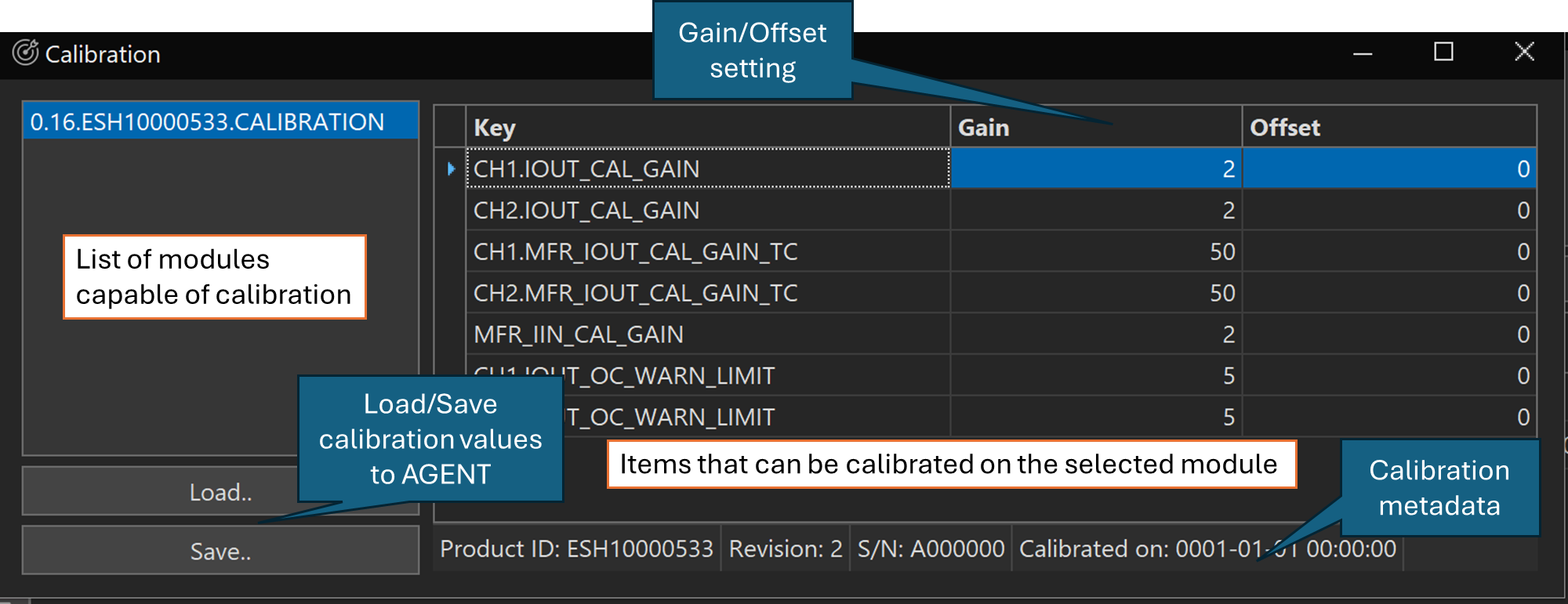
The Gain/Offset setting is employing a Y=kx+m (equation of a straight line), where Y is the resulting value, k is gain, and M is offset.
The items (key column) that can be adjusted will differ between modules. Please contact your E# representative for details on the calibration procedure.
Calibration files
You can view, download and upload the calibration files using the file browser in Accordion Pilot:
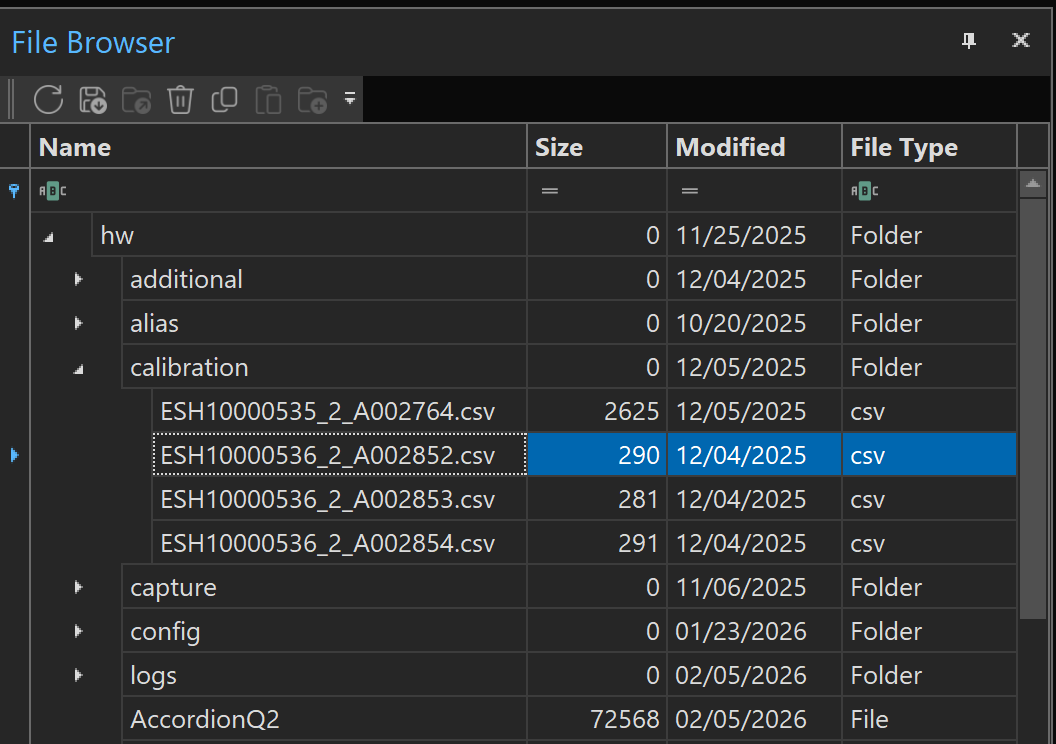
The file format is comma-separated values and can open in a text editor or in Microsoft Excel.
"Key","Gain","Offset"
"ISET1","0.9154731066666666","0"
"ISET2","0.9198316944444445","0"
"IMEAS1","0.4685628448862471","0"
"IMEAS2","0.47142800955457487","0"
"VMEAS1","10.06060620888059","0"
"VMEAS2","10.004614857007745","0"
"VREM1","10.019927437962723","0"
"VREM2","10.029629995796423","0"