Introduction
One common challenge with software is how to efficiently distribute it to users, especially when the users are dispersed and perhaps outside your own organization. In its simplest form, the executables are just stored on a file share where user can go and download it.
Software comes with special challenges in terms of support and service and the only useful strategy is to have one version (latest stable) or perhaps a few major releases that is maintained. E# as a small company can only realistically support one version. Even massive corporations such as Microsoft supports a very limited number of versions of their software's.
Several technologies exists to deploy software and E# has selected ClickOnce from Microsoft. ClickOnce is a technology that allows for (a limited) lifecycle management and can notify users that a new version is available. In our case, the software’s are distributed using an Azure web-based storage.
The problem
Sometimes it is acceptable or even desirable for a user to diverge from the official release mechanism. For example, a user has qualified a specific version of the software to be working in their environment and they want to control the version used. This competes with the idea from the supplier of the software (in this case E#) to keep all users with the latest version to simplify bug tracking, support and documentation.
Assuming that the end user understands that service and support can only be provided for the latest released version, we can allow for the user to work with each release offline.
Offline Launcher
The Offline Launcher program is used to extract stable versions from ClickOnce deployments.
Note: E# reserves the right to remove older versions from on the server at any point in time.
E# doesn’t guarantee availability for any other version than the latest.
The program is installed from this link: https://esharp.blob.core.windows.net/offlinelauncher/setup.exe
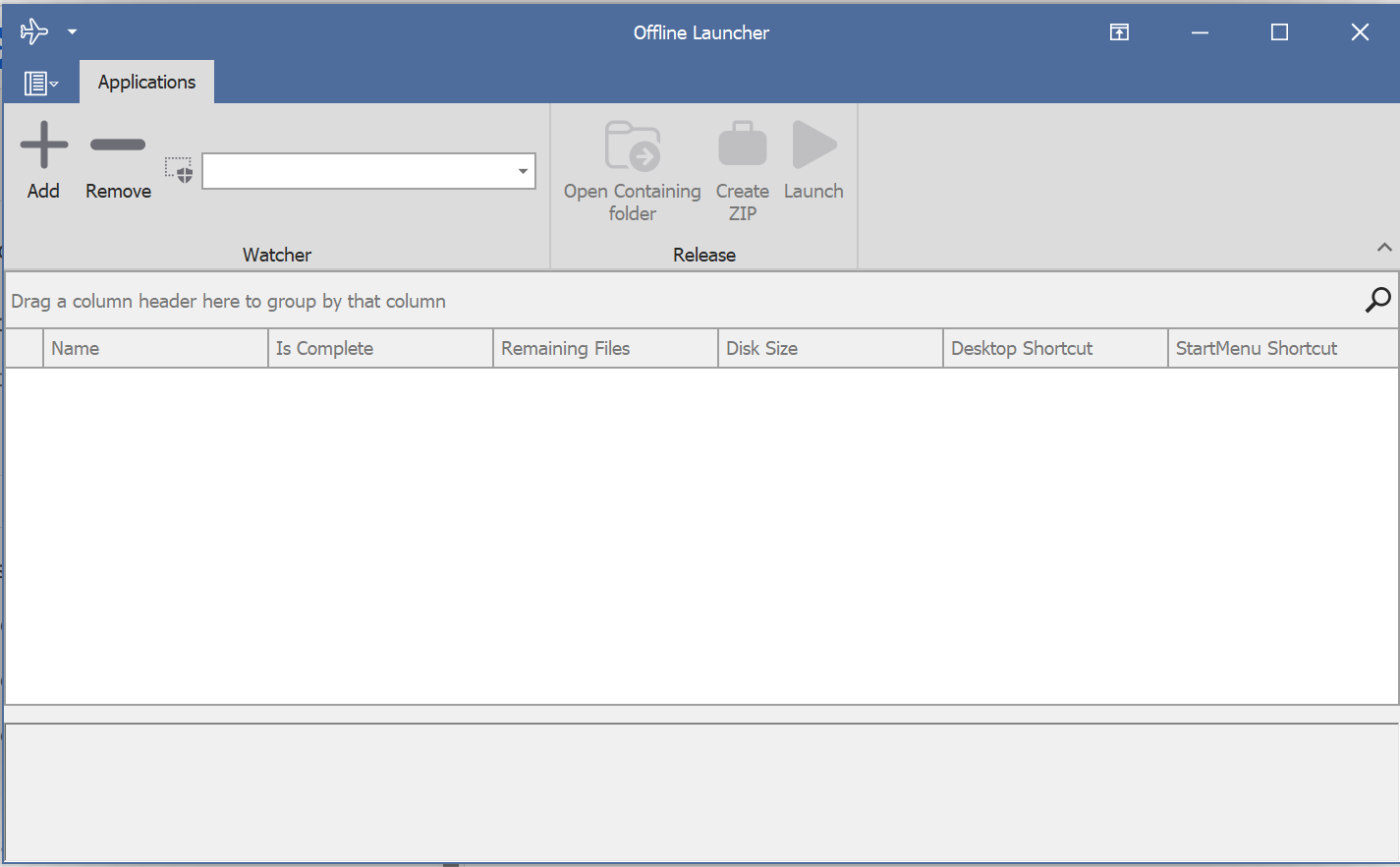
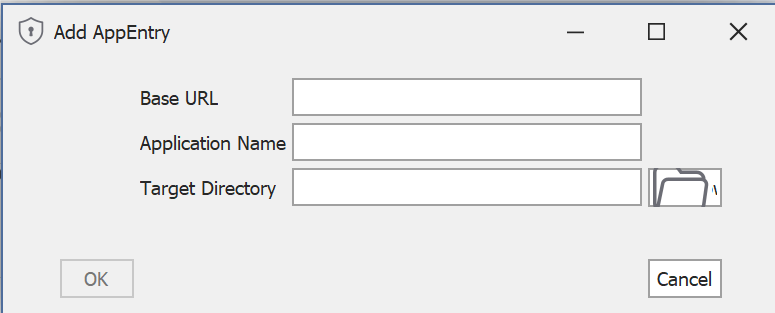
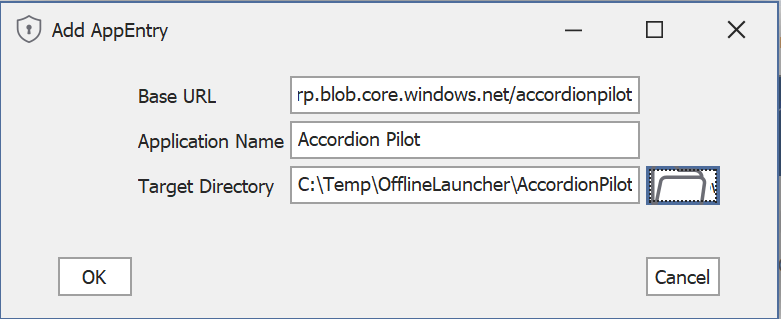
In order to handle a new ClickOnce-deployed software, press the + in the menu:
|
Field |
Description |
|---|---|
|
Base URL |
The base URL that the ClickOnce application is installed from. |
|
Application Name |
The name of the application you are adding. |
|
Target Directory |
The target directory on the local PC where the files should be mirrored to |
Accordion Pilot
|
Field |
Value |
|---|---|
|
Base URL |
|
|
Application Name |
Accordion Pilot |
|
Target Directory |
C:\Temp\OfflineLauncher\AccordionPilot |
Once a profile has been added
When a profile has been added correctly, the application will immediately start to download all the available versions to the offline directory selected.
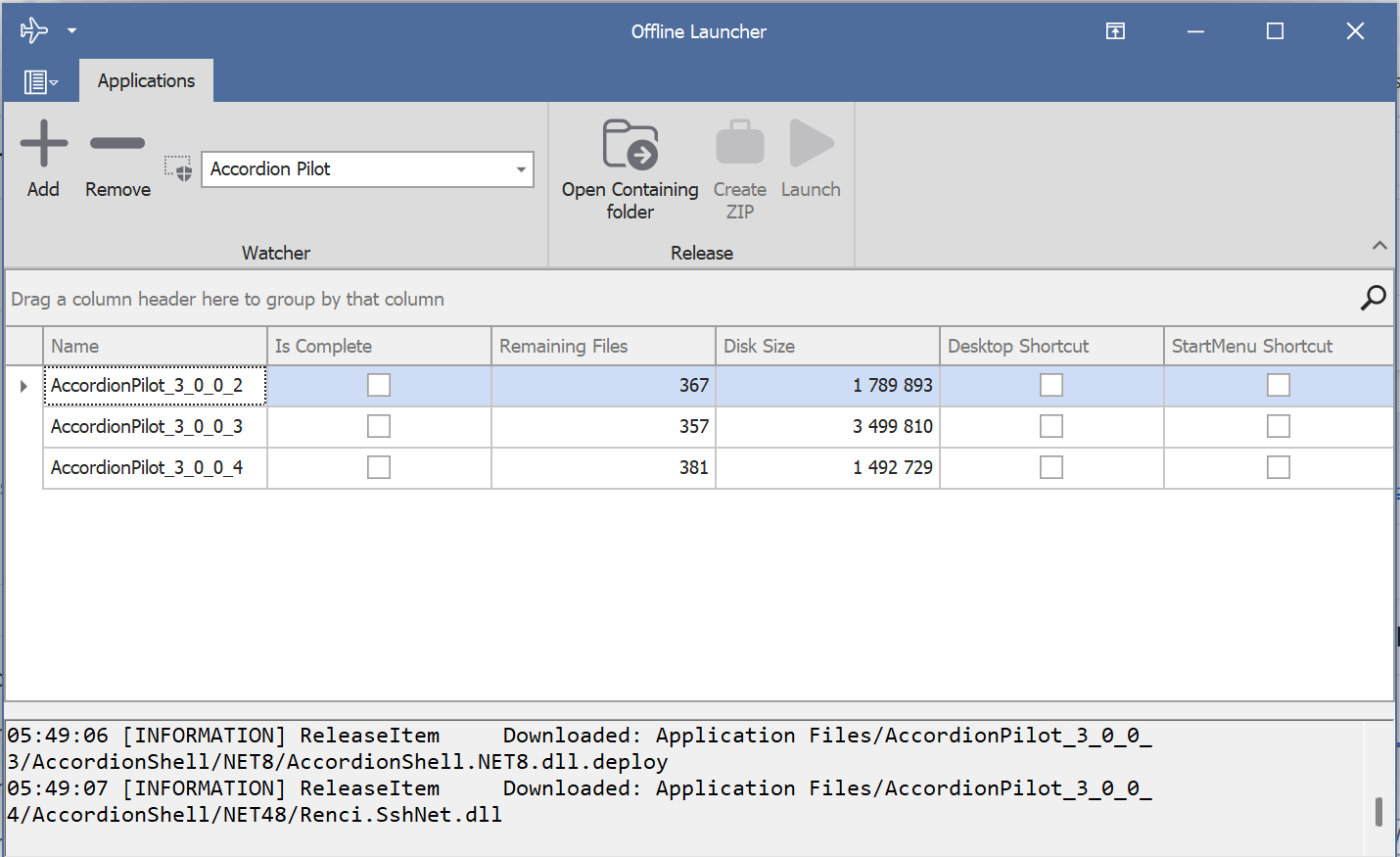
The column “Is Complete” will show when the operation is ready.
“Open Containing folder”, opens the folder where the specific version of the software is located on the local hard drive. You can also “Create ZIP” for simple distribution or “Launch” the specific version here.
Checking “Desktop Shortcut” and “StartMenu Shortcut” respectively will add/remove a shortcut to the actual version.
If the publisher decides to remove versions from the server, it will not be reflected in Offline Launcher